You asked your assistant about your own business and it guessed
Your assistant can write a toast and plan a trip, but it can't tell you how your business looks on Google. Operio Connector adds that: you ask, a specialist checks, and the answer arrives by email.


Sunday evening, laptop open, and you’re asking your assistant to tidy up a supplier email. It does it in four seconds. So you try the question you’ve actually been carrying around all week: how does my business show up on Google?
You get six confident paragraphs of general advice. Claim your profile. Add photos. Encourage reviews. None of it is about your business, because it has never looked at your business.
What the guessing costs you
Checking this yourself is a real job. Search your name, search what you sell, open the map, compare the hours with the door, look at the photos, read what three competitors show that you don’t. Done properly it’s a couple of hours, and you don’t know what you’re looking for, which is why it sits at the bottom of the list for a year. At $60 an hour that’s $120 of your time for an answer you still wouldn’t trust.
Meanwhile the general advice costs you something too. You spend a Saturday adding photos when the real problem was that your category is wrong and you don’t appear at all for the thing you sell most.
What you wanted was one sentence: here is the biggest gap, here is what to do next.
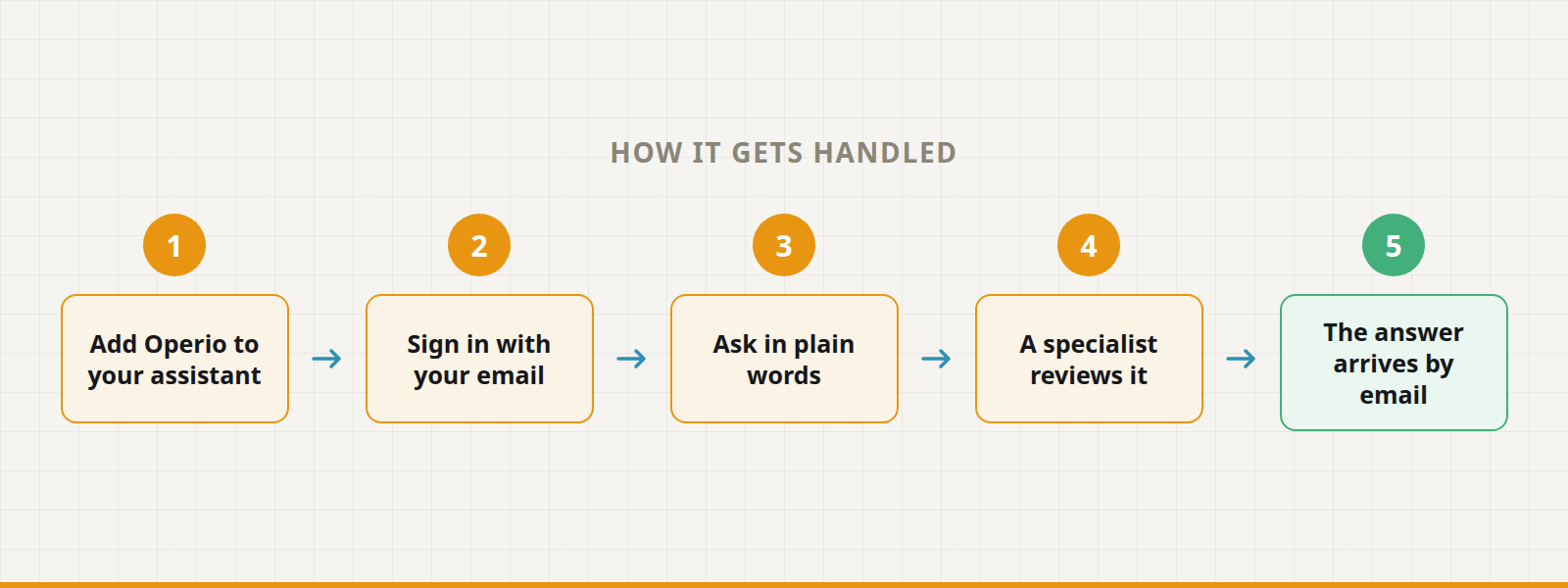
How it gets handled
Operio Connector adds Operio to the assistant you already use: Claude, ChatGPT or Gemini.
1. Add Operio to your assistant. Paste one address into its connector settings: https://mcp.operio.work/mcp. The setup steps are listed for each assistant.
2. Sign in with your email. The first time, you get a 6-digit code. There is no password to remember.
3. Ask in plain words. “How does my business show up on Google?” Give the name and the city.
4. A specialist reviews it. An Operio specialist looks at your real listing. Your request doesn’t end in an instant guess.
5. The answer arrives by email. Your biggest gap and your next step, free, within one business day.
A few versions of it:
The dentist. Asks between patients. The email the next morning says the profile lists a phone number from the old address. Nobody had noticed in two years.
The restaurant owner. Asks for the full checklist instead of the quick check, and gets the list of what to fix in order, starting with the menu link that goes nowhere.
The shop that’s considering help. Asks the assistant what Operio offers and what it costs, and gets the same prices that are on the website, without filling in a form.
From the same chat you can also check on a request you already made, or cancel one if you asked about the wrong business.
What it won’t do
Nobody from Operio contacts you until you ask for it. You can run the check, read the email and stop there. A specialist gets in touch about doing the work only when you say you want that.
It won’t answer on the spot. A person reviews your listing, so the reply comes by email and not in the chat window. If you need it in the next four seconds, this isn’t that.
It won’t change anything on your profile. The Connector looks and reports. Fixing the listing is a separate job, yours or ours, and it starts only when you decide.
It can’t make a weak listing strong by describing it. The email tells you where the gap is. Closing it is still work.
Stop asking for a guess.
Add Operio to the assistant you already use and ask how your business really shows up on Google. The check is free.