The Smart Filing Cabinet: How AI Finds and Understands Your Private Files
Most AI answers come from its general memory. The useful trick is getting it to answer from your own files instead — here's how that works, and what it's worth.

The answer is in a file somewhere
A customer emails asking whether their contract covers a particular repair. You know the answer exists — it’s one paragraph, in one contract, in a folder with three hundred others, signed eighteen months ago by someone who’s since left. You could find it. It would just cost you twenty minutes of opening PDFs and skimming for the right clause.
Every small business runs on this quiet tax. The information you need is written down somewhere in your own files; the work is finding the right sentence fast enough that answering the question is still worth it. This is the chore a lot of AI tools are actually good at — and it’s worth understanding how, because it’s a very different thing from the AI that writes emails or makes pictures.
The plain answer
Left to itself, an AI writing tool answers from its general memory — everything it soaked up from the public internet. That’s fine for “write me a polite reminder,” but useless for “what does this client’s contract say,” because it never read your contract. Ask it cold and it’ll cheerfully make up a plausible-sounding answer that has nothing to do with your actual paperwork.
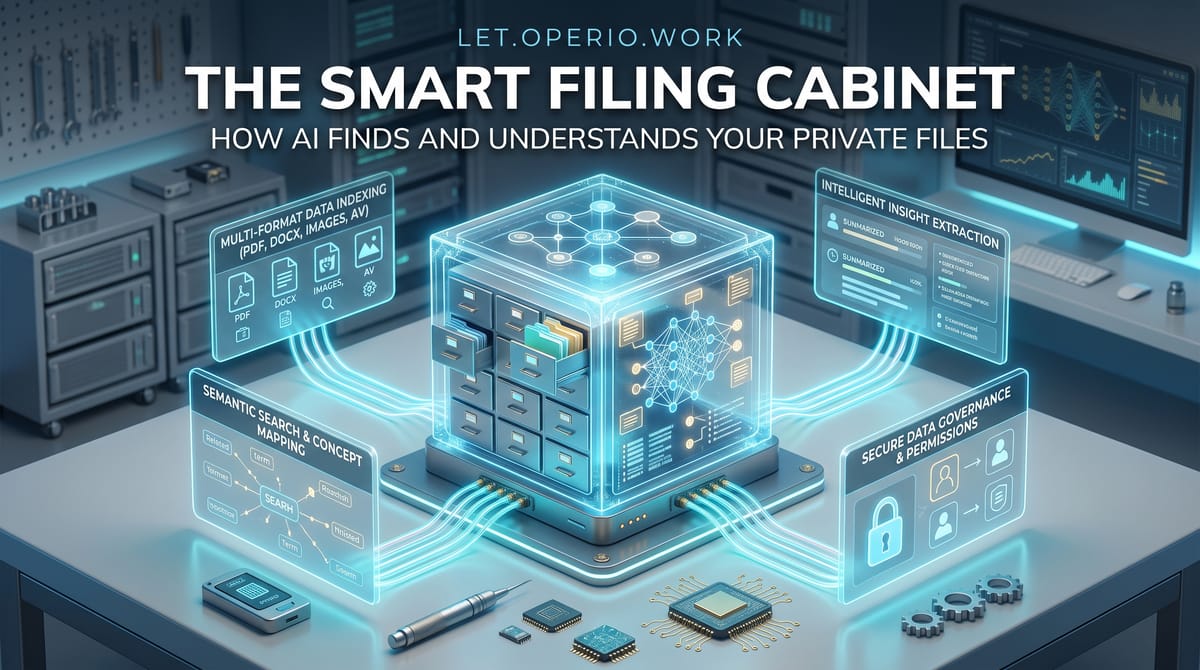
The useful trick is to flip the order. Before the AI answers, it first searches your own files, pulls out the handful of passages that actually relate to the question, and writes its answer from those passages — not from memory. Think of it as the difference between asking a clerk to recall your refund policy off the top of their head, and asking them to walk to the cabinet, pull the real page, and read it back to you.
Two things make this cabinet “smart”:
- It searches by meaning, not by exact words. Ordinary search only finds files that contain the letters you typed. Ask an ordinary search for “time off” and it’ll miss the document labeled “leave policy.” The smart version knows that time off, leave, vacation, and PTO all point at the same shelf, so it finds the right page even when you don’t remember how it was worded.
- It reads the page back to you. Once it’s found the relevant passage, it can summarize it in plain English and — this is the important part — show you which document it came from, so you can check.
That second point is the whole reason this approach is trustworthy. A regular AI answer is a black box: you can’t see where it came from. An answer built from your files comes with a receipt.
A concrete example
Say your team fields the same kind of question all day: a customer or a colleague needs a specific detail that lives buried in your documents — a clause in a contract, a step in a procedure, last quarter’s decision on a supplier, the warranty terms on a product you sold two years ago.
Right now, answering means someone stops what they’re doing, remembers roughly where the answer lives, opens a few files, and scans for it. Call that twenty minutes of hunting on a normal one. Fully loaded, if that person’s time is about $30 an hour, each of those lookups costs you roughly $10 — mostly in the searching, not the answering. Do a dozen a day across the team and you’re spending on the order of $100 a day just locating things you already wrote down.
Now point a document-search assistant at that same pile of files. Someone asks, in plain English, “what are the cancellation terms for the Henderson account?” The tool finds the paragraph in the right contract, reads it back, and links to the source document so the person can confirm it in one glance. The hunt drops from twenty minutes to under a minute, and the AI usage for a question like that costs a few cents at most — well under $0.10.
The point isn’t that the tool is clever. It’s that a real, boring, daily cost — people hunting through their own files — mostly disappears, and what’s left is a quick human check of a passage the tool already found.
The honest caveats
It can only find what’s actually in the cabinet. If a document was never added, or lives in someone’s personal inbox, or is a scanned image with no readable text, the tool can’t find it — and, worse, it may fall back on its general memory and guess. A smart filing cabinet is only as complete as what you put in it.
Out-of-date files give out-of-date answers, confidently. If the folder still holds last year’s pricing, the tool will quote last year’s pricing without knowing it’s stale. It’s reading what’s there, not judging whether what’s there is current. Someone still has to keep the files clean.
Finding the right passage is a skill, and it isn’t perfect. Occasionally it pulls a passage that looks related but isn’t, and then answers confidently about the wrong thing. This is exactly why the “show me the source” feature matters: treat the answer as a pointer to a document you then glance at, not as the final word. The tools worth using always show you where the answer came from. If one won’t, don’t trust it for anything that matters.
Ask where your files are being read. Pointing an AI at your private documents means those documents get processed somewhere. Before you feed it contracts, client records, or anything sensitive, it’s a fair and necessary question to ask a vendor: where does our data go, who can see it, and is it used to train anything? A good answer is specific. A vague one is a reason to walk away. (That’s a whole topic of its own — worth its own conversation before you commit.)
There’s setup, and it has to earn itself back. Getting your files into a shape the tool can search takes some upfront work. If you only need to find something once a month, that setup may cost more than the hunting ever did. This pays off where the same kind of lookup happens often — daily, across a team — not for a one-off dig.
The takeaway
The most useful thing an AI can do for a small business often isn’t writing — it’s finding. An AI that answers from its general memory is guessing; an AI that first searches your own files and answers from them is doing something genuinely valuable, and it hands you the source so you can check its work.
So when you’re weighing a tool that promises to “understand your documents,” ask two plain questions: does it show me which file each answer came from, and where are my files being read? If the answers are “yes, here’s the source” and “here’s exactly where your data lives,” you may have found the rare case where the AI is doing the boring work — hunting through your own filing cabinet — that quietly eats your team’s day.