The Universal Translator: How Separate Systems Talk to AI Naturally
An AI assistant can't see inside your order system or customer list on its own — here's the shared standard that finally lets it, and what to check before you rely on it.

The assistant that can’t see your business
You’ve set up an AI assistant that writes a genuinely good customer email. Then the first real question comes in — “where’s my order?” — and the assistant is useless, because it has no idea what’s in your order system. It’s never seen your customer list, your live inventory, your calendar. So a person on your team switches windows, looks the answer up by hand, pastes it back into the chat, and lets the AI polish the wording.
That copy-paste shuffle is the quiet tax on most AI tools. The assistant is smart about language and blind to your systems. This article is about the piece that closes that gap — and why it’s less exciting, and more useful, than it sounds.
The plain answer
The reason your AI assistant can’t just reach into your order system is that every system speaks its own private language. Your accounting software, your scheduling tool, your customer records — each one was built separately, with its own way of being asked a question and its own way of answering.
For years, connecting an AI tool to one of those systems meant paying a developer to hand-build a one-off bridge for that exact pair — this assistant, to that database. The trouble is the math. If you have a handful of AI tools and a handful of systems, you don’t need a few bridges; you need one for nearly every combination. Each one costs money to build, and each one quietly breaks the day either side gets updated. It’s a pile of custom plumbing that nobody enjoys owning.
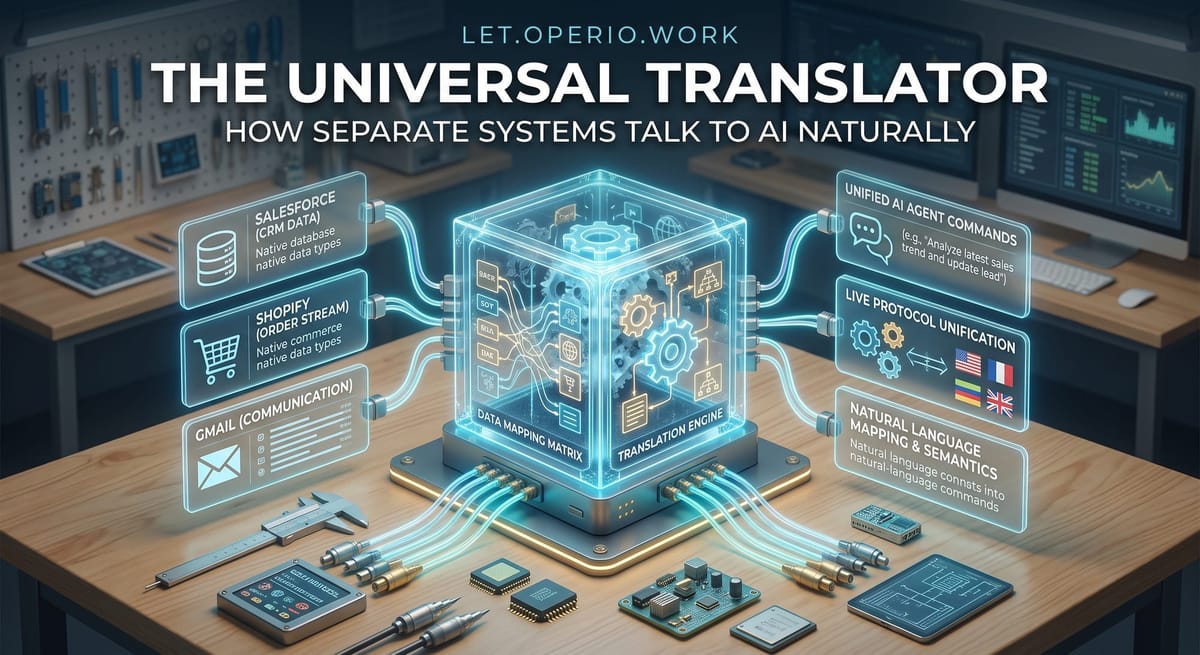
The “universal translator” is the fix, and the idea is boring on purpose: agree on one shared way for systems to describe what they can do, and have the AI tools learn that one way. There’s a name for the current version of this — the Model Context Protocol, or MCP, which is just a shared standard for how an AI assistant asks another system for information or actions. You don’t need the name. The useful part is what it changes: build one connector for your order system that speaks the standard, and any AI tool that also speaks the standard can use it — no custom bridge per pairing.
Think of the old way as every country having its own electrical plug, so you needed a different adapter for every device in every place. The shared standard is closer to a single plug that fits everywhere. The AI still isn’t doing anything clever here; it’s just finally able to ask your systems a question directly, in a language they both agree on, instead of waiting for a human to be the go-between.
A concrete example
Take that “where’s my order?” email, which for a lot of small teams is one of the most common messages that lands all week.
Done the manual way, a support person reads the email, opens the order system in another tab, searches the customer’s name or order number, reads off the status and ship date, switches back, and writes the reply (or fixes up an AI draft that had a blank where the real details go). Call it four minutes of a person’s attention, start to finish. If that comes in, say, forty times a week, that’s a little over two and a half hours — and if that person costs you around $30 an hour fully loaded, you’re spending roughly $80 a week on people acting as a lookup service between the inbox and the order system.
Now connect the AI assistant to the order system through the shared standard. The email arrives, the assistant looks up the live order itself, and it drafts a reply with the real status and date already filled in. Your team’s job shrinks to a glance: is this the right order, does the answer look sane, send. Suppose that review takes about a minute each. The tool’s own usage for a run like that costs a few cents. So a $80-a-week chore becomes something closer to $20 of quick checks — and, more to the point, it stops eating a senior person’s afternoon in four-minute chunks.
Notice what actually did the work here. The AI didn’t get smarter. It got connected — it could reach a fact it used to have to be handed. The whole saving comes from deleting the copy-paste step, not from any new cleverness.
The honest caveats
This is plumbing, and it’s worth being clear-eyed about what plumbing does and doesn’t do.
It doesn’t make the AI more accurate. A connected assistant can still state something wrong with total confidence — it’s just now wrong using your live data instead of its imagination. Connecting it to real systems actually raises the stakes of a mistake, because the answers look more official. You still need a person checking anything customer-facing or money-related before it goes out.
A live connection is a door, and doors need locks. Letting an AI tool reach into your systems means deciding, carefully, what it’s allowed to see and do. There’s a big difference between a connection that can only read your order status and one that can change an order, issue a refund, or email a customer on its own. Start with read-only where you can, and don’t grant an AI assistant more reach into your systems than you’d give a brand-new temp on their first day.
Not everything speaks the standard yet. This is a newer, still-spreading agreement, not a universal fact of every tool you own. Some of your systems will have a ready-made connector; some won’t, and hooking those up may still take a developer’s time — or a wait. Before you count on it, ask plainly: does this actually connect to the systems we already use?
A bridge you barely cross isn’t worth building. If a connection only saves a few minutes on a task that comes around twice a month, the setup and upkeep can cost more than the chore ever did. The math only works when the lookup is frequent and the time saved is a real block, not a scattered minute here and there.
The takeaway
When an AI tool promises to “work with your systems,” you now know the question that separates the real thing from the sales pitch: does it connect through a shared standard, to the systems we already use, with permissions we control? If yes, you’re deleting a copy-paste tax your team pays every week. If the honest answer is “we’d have to custom-build that,” treat it as the ordinary IT project it is — with a real cost — not a checkbox.
And keep the boring habit that makes any of this safe: a connected assistant reaches your real data faster, but it doesn’t check that data for you. Give it the connection, keep the human at the door, and the universal translator earns its keep quietly — which is exactly how good plumbing is supposed to work.